

To deposit and withdraw money safely, pick a method (card, e-wallet, crypto, or bank transfer), confirm account ownership rules, and follow the provider's exact flow: initiate, confirm, wait for settlement, then reconcile receipts with your account history. Most issues come from mismatched names, wrong network/routing, missing verification, or confusing confirmation with settlement.
Pre-transaction checklist: what to confirm before you start
- Your account profile name matches your payment instrument (cardholder/wallet/bank account name).
- The platform supports your method for both directions (some allow deposit only, not withdrawal).
- Limits are known: per-transaction, daily, monthly, plus any pending/processing caps.
- You understand timestamps: authorization vs. capture (cards), pending vs. completed (wallets), broadcast vs. confirmed (crypto), submitted vs. settled (bank).
- You can access evidence files: screenshots/PDF receipts, transaction IDs, and account statements.
- You're on a trusted network/device; 2FA is enabled; no screen-sharing during payments.
Card payments: deposit and withdrawal steps, limits, and chargebacks
- Confirm the card supports online payments and 3-D Secure (3DS).
- Know the difference between authorization (temporary hold) and settlement (final capture).
- Check whether the platform supports card withdrawals; many require withdrawal to bank account instead.
When cards fit: fast deposits, straightforward confirmation, and clear bank statements. When to avoid: if you need guaranteed withdrawal back to the same card, if your card blocks merchant category codes, or if you're trying to move funds cross-border where issuer rules are strict.
- Deposit (including how to deposit money with debit card): Open Cashier/Wallet → choose Card → enter amount → confirm card details → complete 3DS challenge. Save the on-screen receipt and note the authorization code if shown.
- Withdraw (if supported): Go to Withdraw → select the same card (if allowed) → confirm amount → pass security check (OTP/2FA) → wait for processing, then issuer posting. If card withdrawal is unavailable, use a linked bank method instead.
- Chargebacks and reversals: Only dispute unauthorized or incorrectly processed transactions via your issuer. Keep: order/transaction ID, receipt, and platform decision logs (approved/declined/voided) to avoid confusion between a void and a refund.
Safety tip: Never accept "assisted payments" where someone else enters card details for you or asks you to read OTP codes aloud.
E-wallet procedures: setup, instant transfers, and dispute handling
- Active e-wallet account with verified email/phone and enabled 2FA.
- Wallet is in your legal name and can receive funds (not deposit-only).
- Funding source ready: linked bank account/card, or wallet balance.
- Access to wallet history, downloadable receipts (PDF/CSV), and reference numbers.
- Set up and link: Add the e-wallet in the platform's payment settings; complete any "ownership" prompts (login approval, OTP, or micro-confirmation).
- e-wallet deposit and withdrawal: For deposit, choose e-wallet → confirm amount → approve in the wallet app. For withdrawal, select the same wallet profile → confirm destination ID (email/phone/wallet ID) → approve security step.
- Instant vs. final: "Instant" often means the platform released the transfer; finality is when the wallet shows Completed and a reference/trace number is present.
- Disputes: If the wallet shows completed but the platform doesn't, provide the wallet's reference number and timestamp (with timezone). If the platform shows completed but the wallet doesn't, ask for a transfer trace/reference created by the sender.
Safety tip: Don't use shared wallets or corporate wallets for personal withdrawals; mismatched ownership is a common rejection reason.
| Method | Typical speed (practical) | Where fees usually appear | Limits (what to check) | Typical failure causes |
|---|---|---|---|---|
| Card | Deposit: near-immediate after 3DS; Withdrawal: often slower than deposit | Issuer FX/processing; platform may add processing fees | Issuer online limits; platform per-transaction caps | 3DS/OTP failure, issuer decline, name mismatch, authorization vs settlement confusion |
| E-wallet | Often fast once approved in app | Wallet transfer fees; FX spreads | Wallet tier limits; receiving restrictions | Unverified wallet, wrong destination ID, compliance holds, pending state not finalized |
| Crypto | Depends on network conditions and confirmations | Network fee (gas/miner), exchange spread | Min deposit/withdraw amounts; network-specific rules | Wrong network, wrong address, missing memo/tag, insufficient fee, risk/compliance flags |
| Bank transfer | Usually not instant; relies on bank cutoffs and settlement | Sender/receiver bank fees; intermediary fees; FX | Bank limits; beneficiary rules; cross-border documentation | Wrong account/routing, beneficiary mismatch, missing reference, cutoff missed, compliance review |
Cryptocurrency transfers: best practices for deposits and cashing out
- Decide the exact asset and network (e.g., USDT on the correct chain).
- Ensure you control the sending wallet/exchange and can view transaction hash (TXID).
- Confirm whether a memo/tag is required (common for some networks).
- Prepare a small test transfer amount if you're using a new address/network.
- Have screenshots ready: deposit address page, withdrawal confirmation page, and TXID page.
- Pick asset and network intentionally: Match the platform's supported network exactly; "same coin" is not enough if the chain differs. If multiple networks are offered, choose the one you can send on reliably and verify in your wallet.
- Get the deposit details from the receiving platform: Copy the address using the copy button; if a memo/tag is shown, copy it too and treat it as mandatory.
- Record: address, network name, and any memo/tag.
- Take a screenshot that includes the time and the network selection.
- Send a test transaction: Start with a small amount; confirm it arrives and is credited before sending the full amount. This reduces the blast radius of a wrong-network mistake.
- Broadcast and capture proof: After sending, save the TXID (transaction hash) and the sending wallet's timestamp. For crypto deposit and withdrawal support tickets, TXID + network + address is the minimum viable evidence.
- Wait for confirmations and crediting: "Broadcast" means it exists on the network; "confirmed" means included in blocks; "credited" means the platform updated your balance. Don't resend while the first transfer is pending unless you are sure it failed.
- Cashing out to fiat: If you must withdraw money to bank account, sell/convert within a compliant exchange/platform, then initiate a bank withdrawal to your own bank name. Keep the trade receipt plus the fiat withdrawal receipt as a single audit trail.
Safety tip: Never share your seed phrase or approve unknown smart-contract permissions just to "unlock" a withdrawal.
Bank transfers and wires: routing, timings, and cross-border nuances
- Use a bank account in your own name; ensure it can receive inbound transfers.
- Have correct beneficiary details: account number/IBAN (if applicable), bank name, branch, and routing codes required by your bank.
- Know bank cutoff times and whether the transfer is domestic or cross-border.
- Prepare documents if requested: bank statement PDF and account ownership proof.
How to check the result (use this checklist before escalating):
- Platform status shows Submitted/Sent (not only "Requested").
- You have a platform receipt with a unique transfer reference and timestamp (timezone noted).
- Your bank statement shows either Pending or Posted/Settled; distinguish "pending" from final booking.
- Beneficiary name on the transfer matches your bank's registered account name.
- Account number and routing details match exactly (no truncated digits in copy/paste).
- Cross-border: the payment reference/purpose field matches what the receiver requires.
- FX conversion step is understood: whether sender converts before sending or bank converts on receipt.
- If you need to withdraw money to bank account, confirm the platform's bank payout method is enabled for your region and verification tier.
- If the platform provides a bank trace/confirmation (e.g., transfer reference), save it for your bank to search.
Safety tip: Don't "reroute" a transfer through a friend's account to speed things up; beneficiary mismatch is a frequent compliance stop.
Diagnosing failed transfers: logs, error codes, and escalation steps
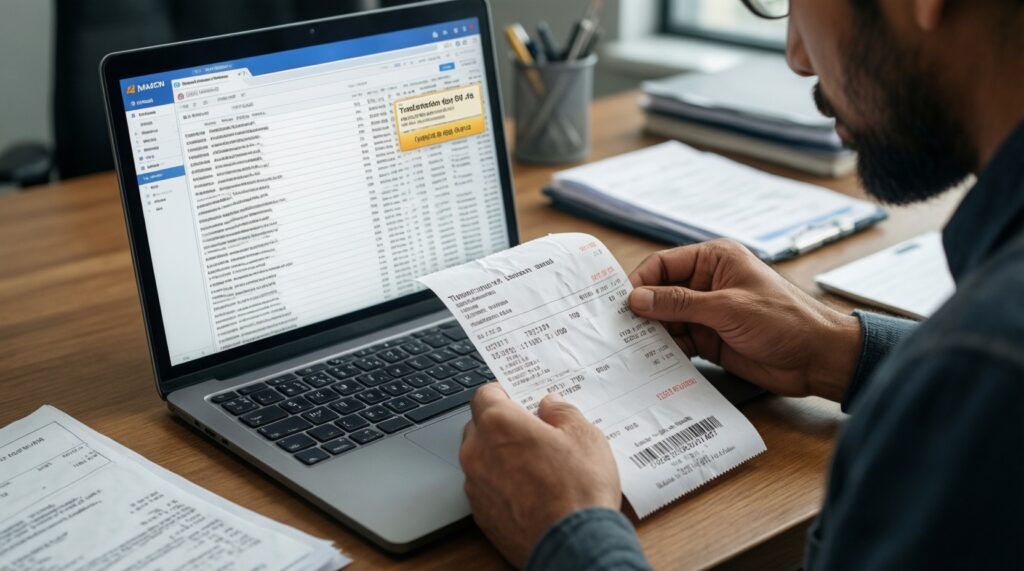
- Collect evidence first: screenshot, receipt PDF, TXID (for crypto), wallet reference number, bank statement excerpt.
- Write down exact timestamps and timezone; note whether the status is pending, completed, reversed, or expired.
- Check platform notification center/email for risk or verification holds.
- Try one controlled retry only after identifying the cause (not multiple rapid attempts).
Common failure patterns (and what they usually mean):
- Card declined (generic): issuer blocks merchant/online usage; try enabling online payments, confirm 3DS, or use a different method.
- 3DS/OTP expired: re-initiate and complete within the OTP window; avoid switching apps/devices mid-flow.
- Name mismatch: platform rejects withdrawals if the card/wallet/bank owner differs from profile; update profile or use a matching instrument.
- E-wallet destination not found: wrong email/phone/wallet ID; copy from wallet profile page, not from contacts.
- Crypto wrong network: funds sent on an unsupported chain; stop sending, open a ticket with TXID and network immediately.
- Crypto missing memo/tag: transfer arrives to shared address but can't be credited; provide TXID and correct memo details to support.
- Bank transfer returned: beneficiary/routing incorrect or compliance reject; request return reason code from the bank/platform.
- Stuck in processing: verification or compliance queue; complete outstanding KYC and request an ETA with reference IDs.
Fast troubleshooting flow (use in order)
- Identify where it failed: platform status, bank/wallet status, or blockchain explorer status.
- Classify the state: pending vs completed vs reversed/returned.
- Match to method-specific proof: card = authorization/receipt; wallet = reference number; crypto = TXID; bank = transfer reference + statement line.
- Escalate to the right party: issuer for card declines; wallet provider for completed-but-not-received; platform support for crediting; bank for tracing/returns.
Safety tip: If a "support agent" asks you to send funds again to "unstick" a transfer, treat it as high-risk and verify via official channels only.
Verification, limits and recordkeeping: identity, receipts, and retention

- Ensure KYC is complete before large withdrawals: ID + address proof + payment-method ownership if requested.
- Track limits as a system: platform limits + bank/wallet limits + network constraints (crypto) can stack.
- Save receipts in consistent formats: PDF exports, screenshots with URL visible, CSV transaction history.
Documents and formats commonly requested (prepare clean scans):
- Government ID (photo/scan), plus a selfie/liveness check if required.
- Proof of address: utility bill or bank statement PDF showing name and address.
- Card proof: photo showing first 6/last 4 digits (mask the middle), or issuer statement line.
- E-wallet proof: profile page screenshot + transaction receipt with reference number.
- Bank proof: statement PDF and/or account ownership certificate from the bank.
Alternatives when a method is blocked or impractical:
- Switch from card to e-wallet when issuer declines are frequent and you need cleaner approval flows.
- Use bank transfer for larger withdrawals where card payouts aren't supported, and you need a bank-grade audit trail.
- Use crypto rails when you can manage networks safely and need cross-border transfers; convert to fiat only through compliant exchanges.
- Split transactions within limits when you're hitting per-transaction caps, but keep the same verified method to avoid new checks.
Safety tip: Keep a single folder per transaction (receipt + timestamp + reference/TXID + statement line) so any dispute can be resolved quickly.
Practical operational questions with short, actionable answers
Why does my deposit show completed, but my balance didn't change?
Confirm whether you're looking at authorization/pending rather than settlement/credit. Then match the method proof: card receipt (auth code), e-wallet reference number, or crypto TXID and network.
Can I deposit with one method and withdraw to another?
Often yes, but many platforms require the first withdrawal to go to a method in your own name and may prioritize the original funding source. Check withdrawal routing rules before you deposit and withdraw money.
What is the safest way to withdraw money to bank account?
Use a bank account in your own legal name, double-check routing/account numbers, and keep the platform transfer receipt plus the bank statement entry. If cross-border, include the correct payment reference/purpose.
How do I avoid sending crypto on the wrong network?
Verify the receiving platform's network label, then ensure your sending wallet is set to the exact same network before you copy/paste the address. Do a small test transfer and keep the TXID for crypto deposit and withdrawal records.
What should I do if my e-wallet withdrawal is pending for too long?
Check whether your wallet is verified and able to receive funds, then look for a wallet-side reference number. If the platform shows sent, request the transfer trace/reference and provide it to the wallet provider (e-wallet deposit and withdrawal support relies on that ID).
Why did my debit card deposit fail even though my card works elsewhere?
Online merchants may require 3DS, and issuers can block certain categories or foreign processing. Enable online/overseas payments in your banking app and retry; if it persists, use an e-wallet or bank transfer instead of repeatedly attempting how to deposit money with debit card.
What evidence should I attach to a support ticket to get a fast resolution?
Include: method, amount, exact timestamps/timezone, status screenshots, and the unique reference (TXID for crypto, wallet reference, or platform/bank receipt ID). Avoid sending full card numbers or sensitive secrets.