
KYC verification is the identity and address-checking step used by financial and regulated platforms to confirm you are the account holder. This guide explains the KYC verification process, which KYC documents required usually pass on the first attempt, what causes KYC verification failed results, and practical steps to reduce KYC verification time without unsafe shortcuts.
KYC at a glance: what to prepare before you start
- A valid, non-expired government ID (passport / national ID / driver's license, as accepted by the platform).
- A recent proof of address in your name (utility bill, bank statement, or other accepted document).
- A phone with a good camera, stable lighting, and enough storage for clear images/PDFs.
- Consistent personal details across documents (same name order, spelling, DOB).
- Access to the registered email/phone for OTP and notifications.
Required documents by account type and jurisdiction
- Check whether your platform requires both identity and address checks, or only identity.
- Confirm the supported document types for your country/region before uploading.
- Prepare a fallback document in case your first choice is rejected (e.g., bank statement if utility bill is unavailable).
Most users will complete KYC verification with (1) an identity document and (2) a proof of address. Business accounts (or high-limit accounts) commonly require additional ownership and control evidence (for example, a company registration extract and signatory authorization). If you cannot legally provide the requested information, or your documents are expired/mismatched, it's better to pause and update records first rather than repeatedly submitting low-quality uploads.
Do not attempt KYC if you plan to use documents you do not control, edited PDFs, or addresses you cannot substantiate. That typically leads to a KYC verification failed outcome and may trigger longer manual review.
Identity documents: accepted IDs, quality standards, and capture tips
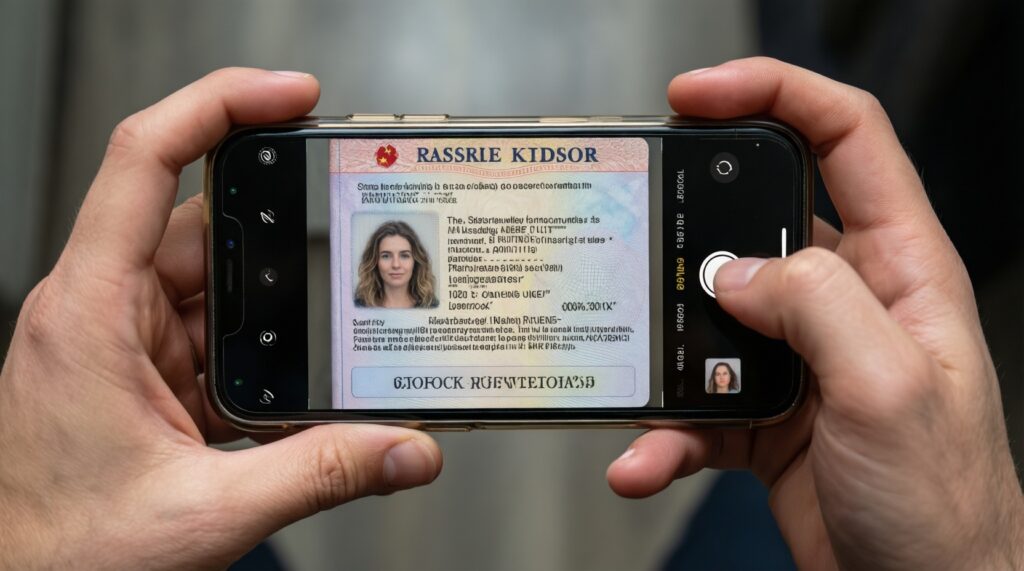
- Choose the highest-trust ID you have (often a passport) if multiple options are accepted.
- Clean the lens, disable beauty filters, and avoid screenshots of photos.
- Ensure your device can capture readable text (no blur, glare, or compression artifacts).
| Document type | Common acceptance criteria | Typical rejection triggers | Capture / upload tips |
|---|---|---|---|
| Passport | Full page visible; MRZ readable; not expired; no cropping | Glare on MRZ; page cut off; low resolution; expired | Use even lighting; keep edges visible; avoid shadows on MRZ lines |
| National ID card | Front (and back if requested); all corners visible; text readable | Missing back side; reflective laminate glare; partial crop | Photograph on dark matte background; tilt slightly to remove glare |
| Driver's license | Front/back (if requested); issue/expiry dates legible | Overexposed photo; unreadable license number; crop | Avoid flash; increase ambient light; hold steady and focus on text |
| Selfie / liveness check | Face centered; no obstructions; matches ID photo reasonably | Hat/mask; strong backlight; camera filters; multiple faces | Neutral expression; face the light source; remove glasses if reflections occur |
Quality standards that matter most: sharp focus on text, full document visible, true colors (no heavy filters), and consistent personal details. If the platform requests "selfie with ID" or liveness, follow the on-screen prompts exactly; these checks often fail when the camera cannot lock focus or when the user moves too quickly.
Address verification: permitted proofs, timestamps, and common pitfalls
- Pick one accepted proof-of-address document that clearly shows your full name and full address.
- Make sure the document is recent enough for the platform's rules (avoid older statements/bills).
- Download originals (PDF from provider/bank) when possible, not photos of a screen.
- Verify your profile address matches the proof-of-address formatting (unit number, building name, postcode).
- Prepare a second document in case the first is rejected (different issuer/category).
-
Select an accepted proof type. Use a document type the platform explicitly lists (commonly a utility bill, bank statement, or government letter). Avoid informal letters, envelopes, or handwritten documents unless the platform states they are accepted.
- If you use a bank statement, prefer a digitally-issued PDF from the bank portal.
- If you use a utility bill, ensure it shows the service address (not only a mailing address, if those differ).
-
Confirm recency and completeness. Check the document date and that it includes your full name, full address, and the issuer's name/logo. Submitting incomplete pages is a common reason for rejection.
- Upload all pages required to show both address and date (some statements place the address on the first page only).
- Match your account profile fields. Update your profile address to the same format as the proof (same unit number, road name, district/province, and postcode). Small differences (abbreviations, missing unit numbers) can trigger manual review.
- Create a clean file for upload. Export as PDF if available; otherwise photograph the paper document flat, with all corners visible and no glare. Do not annotate, redact, or add watermarks unless the platform instructs you to.
- Submit and keep the original available. After upload, keep the source document accessible in case the platform requests a re-upload or additional pages during the KYC verification process.
Top rejection reasons with corrective actions
- Blurred or unreadable text: retake in brighter ambient light, stabilize the phone, tap-to-focus on text, and upload the highest-resolution file.
- Document cropped or corners missing: recapture with the entire document inside the frame; avoid "auto-crop" apps that cut edges.
- Glare/reflections on laminated IDs: change angle, turn off flash, use side lighting, and retake until the hologram area is readable.
- Expired document: renew and resubmit; most platforms will not override expiry for KYC verification.
- Name/address mismatch: align the account profile with the document; if you changed your name, provide the platform's requested supporting document (if offered).
- Unsupported document type: switch to a listed proof type; do not repeatedly upload the same category if it was rejected as unsupported.
- Edited/altered files detected: upload original PDFs or unedited photos; avoid image compression tools that rewrite metadata aggressively.
- Multiple accounts or duplicated identity: stop submitting and contact support; repeated attempts can extend review.
- Selfie/liveness mismatch: remove obstructions, ensure good front lighting, and follow prompts slowly; if your appearance changed significantly, try a higher-quality capture.
Tactics to accelerate approval: submission workflow and technical fixes
- Submit in one clean session: upload ID + selfie (if requested) + proof of address together to reduce back-and-forth and improve KYC verification time.
- Use the platform's preferred channel: if the mobile app has an in-app camera flow, use it instead of uploading screenshots from a desktop.
- Fix autofocus failures: clean the lens, avoid low light, hold steady, and move the document farther away until text sharpens.
- Avoid aggressive compression: don't run documents through "file size reducer" tools unless the platform has strict limits; if needed, export with minimal compression while preserving legibility.
- Disable VPN/proxy if policy-sensitive: some systems flag location anomalies; use your normal connection unless you have a legitimate corporate security requirement.
- Keep formats simple: PDF for statements/letters, JPG/PNG for photos; avoid uncommon formats that trigger upload errors.
- Check profile fields before upload: typos in DOB, ID number, or address often lead to KYC verification failed even when images are perfect.
- Watch for emails/OTP quickly: delayed confirmations can pause the KYC verification process; whitelist the sender and check spam/junk.
- If review stalls: submit one support ticket with clear attachments and timestamps; avoid multiple tickets that reset queues.
Retention, privacy and audit readiness for KYC records
- Decide where you store copies (if you store them at all) and who can access them.
- Remove unnecessary duplicates; keep a single "source of truth" per document.
- Keep a simple log of when and where you submitted documents (platform, date, case ID).
Practical alternatives depending on your needs:
- Minimal retention (recommended for most individuals): keep only what you must (e.g., the PDF you downloaded) and delete working photos after successful KYC verification.
- Encrypted personal archive: store documents in an encrypted vault (device-level encryption or a reputable encrypted storage app) when you anticipate re-verification requests.
- Regulated business recordkeeping: maintain a controlled repository with access control and an audit trail if your business must demonstrate compliance and repeat submissions.
- Re-issue instead of store: for documents that can be regenerated (bank statements), consider re-downloading when needed rather than keeping long-lived copies.
Concise answers to specific verification edge cases
What should I do if KYC verification failed without a clear reason?
Compare your submission against the platform's rejection code (if shown) and re-check image clarity, cropping, and profile-field mismatches. If no reason is provided, contact support once with the exact files you submitted and the timestamps.
Can I use a screenshot of an online bank statement for address verification?
Usually no; screenshots often fail because text is not verifiable and the layout can be altered. Prefer the original bank-generated PDF or an official e-statement download.
How can I reduce KYC verification time if my uploads are already clear?

Submit all required items in one session, ensure profile data exactly matches the documents, and respond quickly to any follow-up request. Avoid repeated resubmissions; they often restart the queue.
Which KYC documents required are most reliable when I don't have a utility bill?
A bank statement or an official government letter is commonly more consistent than informal proofs. Use a document that shows your full name, full address, issuer, and date.
Does the KYC verification process differ for business accounts?
Yes; it typically adds company registration and proof of authority for the person submitting. Expect extra checks for ownership/control and, sometimes, additional verification steps.
Why does my selfie/liveness check fail even though my ID photo is fine?
Failures are often caused by poor lighting, reflections, camera focus issues, or filters. Retake in even front lighting, remove obstructions, and follow prompts slowly.
What if my current address is different from the address on my proof document?
Update your address with the issuer first (bank/utility) and generate a new document, or use an alternative accepted proof that reflects your current address. Submitting mismatched addresses is a frequent rejection trigger.