

To safely move funds, pick a transfer rail (card, e-wallet, crypto, or bank), complete KYC, confirm limits, and match the payout method to the same owner name. Use small test transactions, verify required fields (billing address, wallet network, bank references), and keep proof (receipts, TxIDs) to resolve delays, reversals, or disputes.
Essential pre-transfer checklist
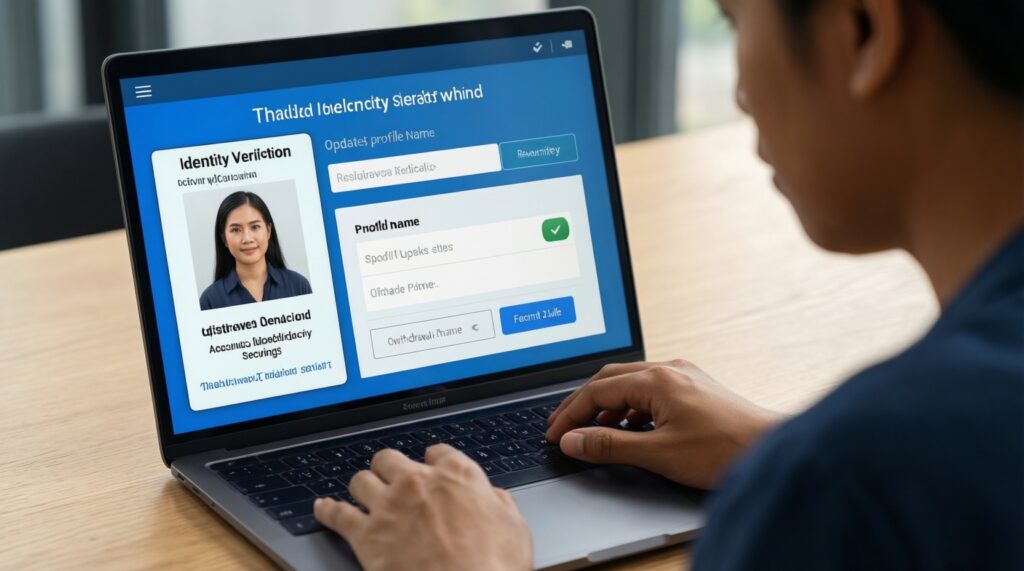
- Complete KYC/identity checks and ensure your profile name matches your card/bank/wallet owner details.
- Enable 2FA, set a strong password, and turn on withdrawal confirmations (email/SMS/app) where available.
- Review deposit and withdrawal methods allowed in Thailand (TH) for your platform and currency.
- Check limits (per-transaction, daily, monthly) and any cooldowns after changing security settings.
- Confirm fees and conversion rules (THB to USD/EUR, on-platform FX rates, bank intermediary fees).
- Do a small test deposit/withdrawal before moving larger amounts.
Preparing your account: KYC, limits, and security settings
This prep is suitable if you plan to use multiple deposit and withdrawal methods or you expect repeated transfers. Avoid transferring immediately if your KYC is pending, your account details recently changed (email/phone/bank), or you can't confirm the beneficiary name match-those are common triggers for holds or rejections.
- Confirm KYC status: Make sure identity verification shows as approved, not "in review." If your platform supports tiers, verify which tier you're on and what it enables.
- Check limits and holds: Look for method-specific caps (cards vs bank vs crypto) and any withdrawal lock after a card deposit or security change.
- Harden security: Enable 2FA, withdrawal address whitelisting (for crypto), and device/session management to reduce unauthorized transfer risk.
Compact comparison: choose the right rail for your situation
| Method | Typical speed | Common fee sources | Limits (where they usually come from) | Reversibility / dispute risk |
|---|---|---|---|---|
| Card (credit/debit) | Deposits usually fast; withdrawals can be slower and processor-dependent | Processor fees, FX conversion, sometimes cash-advance treatment | Issuer limits, merchant limits, platform limits | Higher chargeback/dispute risk; can be reversed via card network |
| E-wallet / payment apps | Often near-instant to hours | Wallet fees, FX spreads, platform fees | Wallet KYC tier limits, platform limits | Medium; provider disputes possible, but usually less than cards |
| Crypto | Network-dependent; from minutes to longer during congestion | Network (gas) fees, exchange/platform fees | Platform limits, wallet limits, chain minimums | Low reversibility; wrong network/address is typically unrecoverable |
| Bank transfer (local / ACH / SWIFT) | From same/next business day to multiple days cross-border | Bank fees, intermediary fees, FX conversion | Bank compliance limits, platform limits | Low to medium; recalls are limited and time-sensitive |
Card deposits and withdrawals: step-by-step, fees, and chargeback mitigation
If you want to deposit and withdraw with credit/debit card, prepare these items first to reduce declines and payout issues:
- Card access: Physical card or banking app for OTP/3DS (Verified by Visa / Mastercard Identity Check).
- Billing data: Exact billing address, postcode/ZIP equivalent (as your issuer records it), phone/email.
- Sufficient balance and issuer settings: Online/international payments enabled; available balance for deposit plus any temporary authorizations.
- Refund expectations: Some platforms route withdrawals back to the original card up to deposited amount; excess may go via bank transfer.
- Proof storage: Keep receipts, transaction IDs, and screenshots of successful 3DS challenges.
Deposit with a card (safe sequence)
- Validate merchant and URL: Use bookmarks, confirm HTTPS, and avoid public Wi‑Fi for first-time payments.
- Add card details: Enter card number, expiry, CVV, and billing details exactly as the issuer holds them.
- Complete 3DS/OTP: Approve the authentication in your banking app/SMS; don't refresh mid-challenge.
- Record the result: Save the confirmation screen and check your bank app for posted/pending status.
Withdraw to a card (what usually happens)
- Confirm eligibility: Ensure card withdrawals are supported for your region/currency and the card is in your name.
- Request withdrawal: Select the saved card, enter amount, and confirm security checks (2FA/email).
- Track processing vs settlement: "Approved" on-platform can still take time to reflect on the bank side; keep the reference provided.
Chargeback/dispute mitigation (practical)
- Use only your own card; third-party funding commonly triggers reversals and compliance holds.
- Keep consistent identity data (name, address) across profile, card, and bank records.
- Don't run multiple retries after a decline; first resolve the decline reason (issuer block, incorrect billing, 3DS timeout).
- Avoid mixing multiple cards for the same account unless required; it complicates refund routing.
E‑wallets and payment apps: instant flows, reconciliation, and vendor selection
This section covers deposit and withdrawal methods using e-wallets/payment apps when you want fast reconciliation and fewer card-related disputes.
-
Pick a supported wallet and currency path
Choose a wallet available in TH that your platform supports for both deposit and withdrawal. Prefer a wallet that can receive payouts in the same currency you deposit to reduce conversion friction.
- Required: wallet account in your legal name
- Nice-to-have: transaction reference export/history
-
Link the wallet securely
Use OAuth-style authorization if available (redirect to wallet login) instead of typing credentials into third-party pages. Enable the wallet's own 2FA and device alerts.
-
Deposit: initiate and confirm
Select the e-wallet, enter the amount, approve the request inside the wallet app, then return to the platform to confirm completion. Save the wallet transaction reference.
- Required fields/data: wallet ID/email/phone (as required by the provider), amount, currency
-
Withdraw: match identity and verify destination
Select the same wallet profile used for deposits when possible. Confirm the destination identifier (email/phone/wallet ID) character-by-character before submitting.
- Required fields/data: wallet destination identifier, amount, withdrawal confirmation (2FA/email)
-
Reconcile and document
Compare the platform's transaction status with the wallet's status. If they don't match, capture timestamps, references, and screenshots for support escalation.
Quick mode
- Use one wallet you can both deposit and withdraw with, under the same legal name.
- Deposit a small test amount; save the wallet reference.
- Withdraw a small test amount to the same wallet identifier; confirm receipt.
- Scale up only after both references reconcile (platform status + wallet history).
Crypto transfers: choosing wallets, estimating gas/fees, and confirmation best practices
If you need a crypto deposit and withdrawal guide, treat network selection and address verification as your primary safety controls. Crypto transfers are generally not reversible.
Choosing the wallet and network (minimum-safe approach)
- Use a trusted wallet type: For frequent transfers, a reputable self-custody wallet can reduce counterparty risk; for simplicity, a regulated exchange wallet may help with recovery processes but adds withdrawal rules.
- Match the network exactly: Sending USDT on the wrong chain (or to the wrong network) is a common loss scenario.
- Plan for fees: Keep a buffer of the network's native token (e.g., ETH for Ethereum) if needed to move funds after receipt.
Transfer result verification checklist
- Network matches on both sides (e.g., ERC‑20 to ERC‑20, TRC‑20 to TRC‑20).
- Address matches exactly; verify first and last characters and use copy/paste (no manual typing).
- Memo/Tag included when required (some assets/exchanges require it).
- Amount meets platform minimums and accounts for network fees.
- Transaction ID (TxID) exists and shows on a public block explorer for the correct chain.
- Confirmations meet the platform's required count before expecting credit.
- Status is not "replaced," "dropped," or "failed" (check the explorer).
- Withdrawal address whitelist (if enabled) matches the destination used.
- Timestamp and wallet history align with your request time (helps support trace).
Bank transfers and ACH/SWIFT: timing, reference management, and cross-border nuances
If you're asking how to withdraw money to bank account, the key is correct beneficiary details and clean reference management (especially for cross-border SWIFT). Use your own account name and avoid third-party beneficiaries.
Frequent bank-transfer mistakes that cause delays or returns

- Name mismatch: Beneficiary name doesn't match your verified profile name.
- Wrong account format: Incorrect account number/IBAN (where applicable) or missing bank/branch codes required by local rails.
- Incorrect SWIFT/BIC: Using a head-office SWIFT when the receiving bank requires a specific routing BIC.
- Missing/invalid reference: Not including the platform-provided reference, or reusing a reference from an older transfer.
- FX and intermediary fees surprise: Recipient receives less because fees are deducted en route; reconcile "sent" vs "received."
- Compliance triggers: Unusual amounts, frequent retries, or unclear payment purpose prompts review.
- Weekend/holiday timing: Submitting near cut-off times can roll to the next business day.
- Unsupported destination: Bank account can't receive certain currencies or cross-border credits.
Diagnosing failures: refunds, disputes, error codes, and escalation paths

When you're troubleshooting how to deposit and withdraw money and something fails, don't spam retries. Identify whether the failure is issuer-side, provider-side, or platform-side, then switch to an appropriate alternative.
Alternatives to use when one rail is blocked
- Switch cards or use e-wallet as an intermediary (when allowed): Useful when a card issuer blocks merchant category or international processing; ensure the wallet supports both directions (in/out) to avoid stranded funds.
- Move to bank transfer for higher reliability: Suitable when card withdrawals aren't supported or repeated card payouts fail; ensure you have the correct beneficiary/bank identifiers and reference.
- Use crypto only if you can verify network details: Appropriate when speed matters and you can manage network selection, fees, and confirmations without guesswork.
- Escalate with complete evidence: Use support when you have TxID/reference, timestamps, amounts, and screenshots; this is often faster than repeated attempts.
What to collect before escalating (saves time)
- Platform transaction ID/reference and exact timestamp (including timezone).
- For cards: last 4 digits, authorization code/3DS result if available (never share full card number or CVV).
- For e-wallets: wallet transaction reference and wallet account identifier.
- For crypto: TxID, network, receiving address, and explorer link.
- For bank: beneficiary name, bank name, SWIFT/BIC, account number, and the transfer reference.
Practical quick answers to common transfer issues
Why did my card deposit succeed but withdrawal to the card is unavailable?
Many platforms allow card deposits but restrict card withdrawals by region, currency, or issuer rules. In that case, you usually need to withdraw via bank transfer or an e-wallet tied to your verified identity.
What should I do after a declined card deposit attempt?
Stop retries and check issuer blocks (online/international payments, 3DS/OTP failures, insufficient funds). Then verify billing details match the bank record and try again once, or switch to an e-wallet or bank transfer.
How long should I wait before contacting support about an e-wallet withdrawal?
First confirm the platform shows "processed" and the wallet shows no incoming transaction. If both sides don't reconcile and you have the wallet reference and timestamp, contact support with those details.
My crypto withdrawal shows completed, but nothing arrived-what do I check?
Verify the TxID on the correct chain explorer, the destination address, and whether required confirmations are met. If the explorer shows success to your address, the issue is usually on the receiving platform/wallet side (network mismatch, missing memo, or internal crediting delay).
Can I withdraw to someone else's bank account?
Usually no; withdrawals typically must go to an account in the same legal name as your verified profile. Third-party beneficiaries commonly trigger rejection or compliance holds.
What details are mandatory for bank withdrawals to avoid returns?
Beneficiary name, correct account number format, and the right bank identifiers (local codes or SWIFT/BIC) are essential. Always include any required payment reference exactly as provided.