A truly mobile-first casino experience in 2026 is built for one-handed use, unstable networks, fast sessions, and high-trust flows (registration, KYC, deposits, withdrawals) without visual clutter. Use this casino app UI/UX checklist to diagnose a mobile casino app, prioritize fixes, and verify whether a product behaves like a mobile-first casino platform rather than a shrunk desktop site.
Essential Mobile-First UX Principles for Casino Apps
- Design for the thumb zone first: primary actions reachable without hand gymnastics.
- Keep critical flows short and recoverable: save state, resume, and prevent dead ends.
- Make speed visible and predictable: show progress, skeletons, and honest loading states.
- Reduce cognitive load in money moments: deposits/withdrawals/KYC must be clear, consistent, and reversible where possible.
- Build trust by default: security cues, transparent limits, and responsible-play access are never hidden.
- Measure mobile reality: performance on mid-tier devices, network loss, and touch accuracy-then iterate.
Thumb-Friendly Navigation and Screen Architecture
Best fit: products with frequent short sessions (check balance, quick deposits, fast game switching) where users often play one-handed. This is the baseline expectation for a mobile casino app and strongly influences whether users perceive it as the best mobile casino 2026 experience.
When not to force it: do not over-optimize for one-handed use if your audience primarily uses tablets in landscape with two hands, or if game providers enforce fixed layouts. In those cases, focus on consistent navigation, large touch targets, and preventing mis-taps rather than relocating every control.
- Prioritize: bottom navigation for 3-5 core areas (Lobby, Search, Promotions, Wallet, Account).
- Risk point: "More" menus that hide Wallet/Withdrawals can look deceptive. Mitigation: keep money and responsible-play entry points visible.
- Architecture rule: every screen should answer: Where am I? What can I do next? How do I get back safely?
- Navigation safety: protect in-progress KYC/payment steps from accidental back gestures with clear confirmation and state saving.
Speed, Resource Efficiency and Offline Resilience
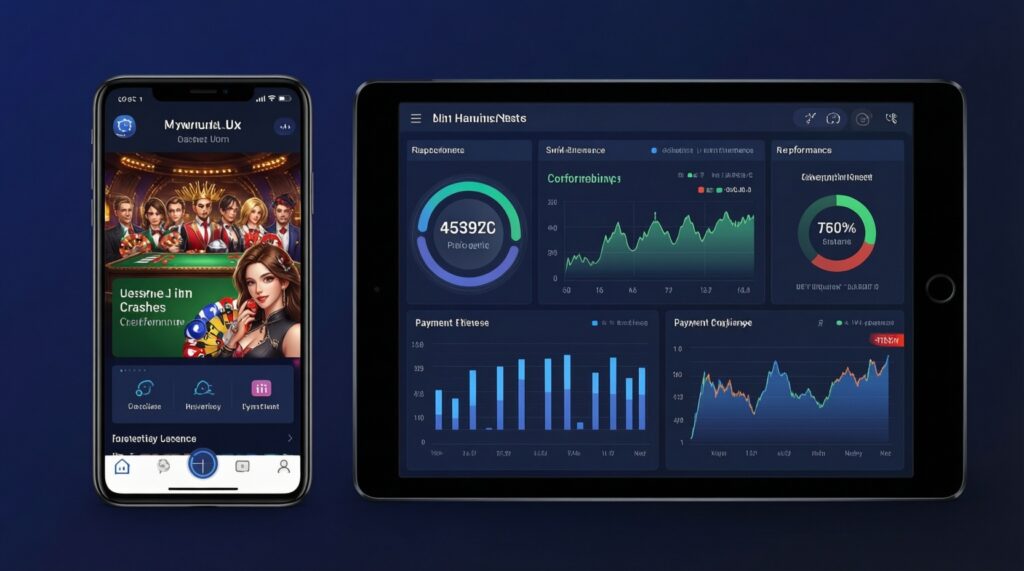
To execute mobile casino UX design improvements safely, you need enough access to measure, reproduce, and ship changes without breaking regulated flows.
- Access: analytics (events + funnels), crash reporting, performance monitoring, and server logs for payment/KYC errors.
- Test setup: at least one mid-tier Android device and one iPhone; ability to simulate poor network (throttling) and packet loss.
- Tooling: feature flags for gradual rollout; remote config for banners/promos; translation management if you support Thai + EN.
- Design assets: component library (buttons, inputs, modals, error states) tuned for touch sizes and readability.
- Operational requirement: defined incident response for payment provider outages (what users see, what support can do).
- Risk point: aggressive caching can show stale balances or bonus states. Mitigation: cache UI shells but validate wallet and bonus data at critical moments (before confirming a bet, deposit, or withdrawal).
- Risk point: heavy animations and auto-playing promos drain battery and trigger thermal throttling. Mitigation: respect reduced motion, limit concurrent animations, and prioritize game performance.
Streamlined Registration, KYC and Deposit Flows
Risks and constraints to manage first (risk-aware baseline):
- Regulatory mismatch: KYC steps that differ by user segment create confusion. Mitigation: show a clear "what you'll need" preview and why it's required.
- Payment friction: unclear fees/limits and failed deposits damage trust. Mitigation: show limits, expected processing time, and precise failure reasons.
- Drop-off due to interruptions: calls, app switching, and network loss are common. Mitigation: autosave progress and resume reliably.
- Fraud and account takeovers: weak verification invites abuse. Mitigation: step-up verification on risky behavior, device binding, and clear user alerts.
-
Design a single "Account Setup" runway (register → verify → fund) with saved state
Present one linear flow with clear milestones and allow users to stop after each milestone. Persist progress across sessions so a user can resume after app switching or a connectivity drop.
- Use an explicit status (e.g., "Email verified", "Identity pending", "Deposit ready") on the Account screen.
- Ensure the Wallet always shows whether deposits/withdrawals are currently available and why.
-
Minimize fields and validate inline (no surprise errors at the end)
Only ask for what you must collect at that moment; postpone optional profile data. Validate format and eligibility inline and show fixes in-place.
- Use appropriate keyboard types and input masks; avoid forcing users to zoom.
- Make error messages specific (what failed and what to do next), not generic.
-
Introduce KYC as a requirement with a "what you'll need" preview
Before requesting documents, explain required items and expected outcomes (approval, manual review, or retry). Make the "why" clear to reduce suspicion and support tickets.
- Offer camera capture guidance (lighting, glare, cropping) and show examples of acceptable images.
- Allow "save and continue later" if the user is not ready.
-
Build a deposit experience that is predictable, reversible, and confirms outcomes
Show limits, fees (if any), and processing expectations before confirmation. After initiating a deposit, show a clear success state with updated balance or a pending state with next steps.
- Prevent double submissions with idempotent requests and visible "processing" states.
- If a deposit fails, show the reason category (e.g., verification needed, bank rejection, network) and a safe next action.
-
Link responsible-play controls to money moments
Expose deposit limits, session reminders, and self-exclusion from the Wallet and Account Setup runway, not only in settings. This supports safer play and reduces compliance risk.
- Provide a clear "cool-off" path and show what will happen immediately vs later.
- Do not obscure limits behind multiple screens; one or two taps maximum from Wallet.
Game Controls, Touch Mechanics and Visual Clarity

- Primary game actions (spin, bet up/down, auto-play if allowed) are reachable in the thumb zone without covering key information.
- Touch targets are large enough to avoid mis-taps; destructive actions (max bet, purchase bonus, quit) require confirmation.
- UI remains readable under common glare conditions; contrast is sufficient without relying on color alone.
- Landscape and portrait behaviors are intentional (not accidental stretching); transitions do not reset the session unexpectedly.
- Loading and reconnect states are explicit: users know whether a spin/bet was accepted, rejected, or pending.
- Sound, vibration, and animation controls are easy to find; defaults do not annoy in public contexts.
- Promos do not obscure controls or results; closing a promo never triggers an unintended action.
- Search and filtering in the lobby work with one hand (quick filters, recent games, provider list without tiny toggles).
Security, Compliance and Responsible-Play Safeguards
- Hiding withdrawals behind support chat: looks suspicious and increases complaints. Mitigation: provide a visible withdrawal entry point with clear requirements.
- Weak session handling: long-lived sessions on shared devices raise takeover risk. Mitigation: re-auth on sensitive actions and offer biometric re-entry if available.
- Unclear verification status: users deposit but later cannot withdraw due to KYC surprises. Mitigation: show verification gates upfront and remind before deposit.
- Dark patterns in bonuses: hidden wagering rules and confusing opt-ins erode trust. Mitigation: summarize key terms at the decision point and link full terms.
- Generic error handling for payments: "Something went wrong" causes repeated attempts and duplicate issues. Mitigation: provide actionable errors and a transaction history with statuses.
- Over-permissioning: requesting unnecessary device permissions reduces installs. Mitigation: request permissions just-in-time with a clear reason.
- Responsible-play buried in settings: increases regulatory and reputational risk. Mitigation: surface limits and help near Wallet and Account, plus a persistent entry in Account.
- No fraud visibility for users: users don't notice suspicious logins. Mitigation: notify about new device logins and allow quick sign-out of other sessions.
Measurement: Metrics, Experiments and Continuous Optimization
Use a small, stable set of mobile metrics to decide whether changes move you closer to a mobile-first casino platform. Track outcomes by device tier, OS, and network quality; a "best mobile casino 2026" claim only holds if mid-tier devices and real networks behave well.
| Metric (mobile) | Acceptable threshold (define internally) | Why it matters |
|---|---|---|
| Cold start to usable lobby | Set a target for mid-tier devices | First impressions and retention are highly sensitive to perceived startup speed. |
| Lobby interaction latency (tap to response) | Set a target for 3G/4G conditions | Reduces "dead app" perception and mis-taps from repeated tapping. |
| Deposit success rate | Set a target by payment method | Directly impacts revenue and trust; failures drive support and churn. |
| KYC completion rate | Set a target per KYC path | Predicts withdrawal eligibility and long-term account value. |
| Game session crash-free rate | Set a target by device tier | Crashes during play are high-friction and can create dispute risk. |
| Reconnection recovery rate | Set a target for network loss scenarios | Determines whether unstable networks cause irreversible session loss. |
Optimization approaches to choose from
- A/B testing on non-regulated UI elements - Use for lobby layouts, navigation labels, and promo placement; avoid experimenting on mandatory compliance disclosures without review.
- Feature-flag rollouts with holdbacks - Use when changes touch payments, KYC, session handling, or game containers; safer than full releases and supports quick rollback.
- Qualitative mobile usability reviews on real devices - Use when metrics show a problem but not the cause; focus on thumb reach, readability, and interruption recovery.
- Performance budgets and regression gates - Use when you have frequent releases; prevent slowdowns by blocking builds that exceed your internal thresholds.
Common Mobile UX Concerns and Practical Answers
How do I tell if a mobile casino app is truly mobile-first?
If Wallet, search, and game switching are reachable with one hand and key flows resume after interruptions, it behaves mobile-first. If it feels like a mini desktop site with tiny controls and frequent resets, it is not.
What is the fastest UX win for a struggling mobile casino app?
Fix navigation and money flows first: bottom navigation, clear Wallet states, and actionable payment errors. These changes reduce drop-offs more reliably than cosmetic redesigns.
Which parts of mobile casino UX design should never be A/B tested casually?
Avoid casual tests on KYC disclosures, responsible-play access, and security prompts. Treat them as compliance-sensitive and ship only with review, documentation, and rollback plans.
Why do users abandon KYC even when they want to withdraw?
They hit surprise requirements, unclear instructions for document capture, or long silent reviews. Show "what you'll need," provide capture guidance, and keep status visible with honest timelines.
How can a mobile-first casino platform handle unstable networks without confusing users?
Use explicit states: pending, confirmed, failed, and reconnecting, especially around bets and payments. Always show what was recorded server-side and what the user should do next.
What should be included in a casino app UI/UX checklist before calling something the best mobile casino 2026?
Thumb reach, touch accuracy, readable game UI, resilient deposits/KYC, and visible responsible-play controls. Also verify performance and crash-free sessions on mid-tier devices, not only flagship phones.