

To run safer online gambling in Thailand-focused operations, implement a clear casino self-exclusion program, a configurable cooling-off period online casino flow, and robust KYC verification online casino controls with practical online casino document verification. This guide gives step-by-step checklists, risk triggers, and audit-ready records so users can pause or stop play while you prevent fraud and underage access.
Critical compliance summary
- Make self-exclusion irreversible during the chosen term; never offer "early unlock" as a retention tactic.
- Design cooling-off to be instant, self-serve, and frictionless; it must block all gambling features during the pause.
- Apply risk-based KYC: collect only what you need, then escalate when triggers appear.
- Separate RG decisions from VIP/revenue teams; minimize conflicts of interest.
- Log every state change (requested, activated, ended) with timestamps and reason codes for audits and dispute handling.
- Communicate consequences clearly (access limits, marketing opt-out, withdrawal handling, support routes).
Implementing self-exclusion programs: step-by-step checklist
Purpose: Self-exclusion is a long-form, user-initiated lockout intended for players who want to stop gambling entirely for a defined term. It should be stronger than a cooling-off pause, cover all gambling products under your brand, and be enforced consistently across devices.
When it fits (and when it doesn't)

- Fits: repeated loss-of-control signals, player request to permanently/long-term stop, safeguarding after harmful play patterns.
- Not a fit: short breaks for time management (use cooling-off), account security incidents (use security lock), disputes about KYC (use verification hold).
Operational checklist (implementation)
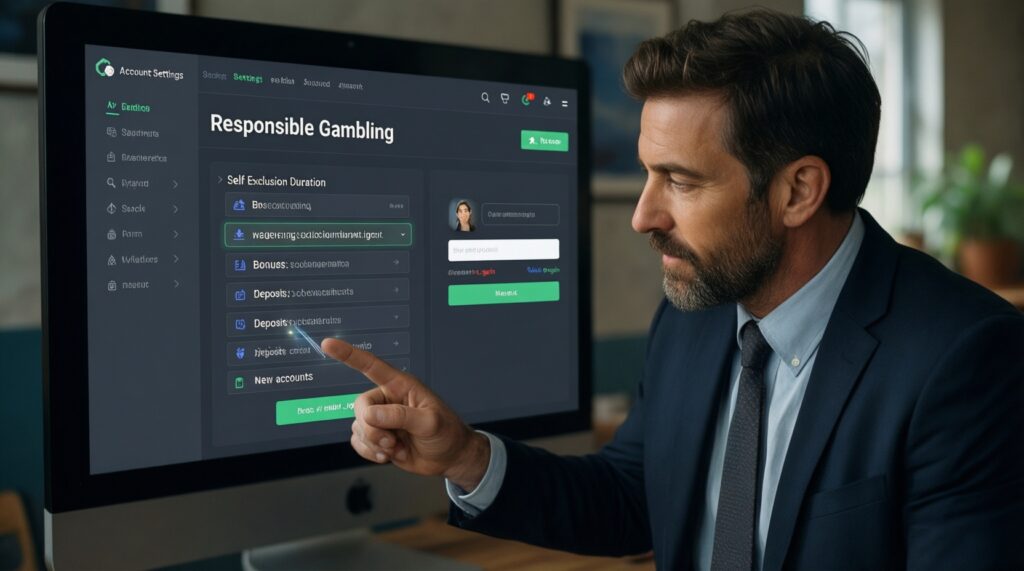
- Define exclusion terms and scope. Offer a small set of durations (example timeframes: weeks/months/long-term) and state clearly what is blocked (login, wagering, bonuses, deposits, and new account creation under the same identity).
- Build a self-serve entry point. Place it in Account > Responsible play, not hidden in support-only flows.
- Enforce at the platform layer. Block play and deposits before wallet/bonus logic. Ensure the exclusion state is checked on every session start and before each transaction.
- Stop marketing by default. Suppress promotional emails/SMS/push for self-excluded users and record the suppression flag.
- Handle funds safely. Allow withdrawal requests where permitted by your policy, but do not allow deposits or betting while excluded.
- Confirm with a clear notice. Send a confirmation message and show an on-screen banner describing the scope, end date, and support resources.
Minimal notice template (on-screen / email)
- Subject: Your self-exclusion is active
- Body: "Your self-exclusion is now active until [date]. During this period you cannot access gambling features, deposit, or use bonuses. Marketing messages are disabled. If you need help, contact support at [channel] or access responsible play resources in your account."
Recommended next action: Add an automated cross-check to prevent new registrations using the same identity signals (document number hash, phone, email, payment instrument fingerprint), without collecting unnecessary extra data.
Designing cooling-off periods: policy, duration and user flow
Purpose: Cooling-off is a short-to-medium break to interrupt impulsive play. It should be quick to activate, self-serve, and strictly enforced-no betting or depositing until the timer ends.
What you will need (policy + tools + access)
- Policy: eligible actions (pause play), blocked features (wagering/deposit/bonus), and whether login is allowed for withdrawals and statements.
- Engineering: an account "cooling-off" state, server-side timers, and UI components for activation and status display.
- Support tooling: read-only visibility for agents, plus a controlled admin override policy (ideally none, except documented error correction).
- CRM/marketing: suppression rules during the cooling-off window (at minimum, no promos).
- Analytics/audit: event logs for request time, effective time, end time, and what was blocked.
User flow decision points
- Entry: "Take a break" in the account menu plus contextual prompts after risky patterns (never as a pop-up tied to offers).
- Duration selection: present a small set of preset durations (example timeframes: 24 hours, several days, several weeks) and one clear "self-exclusion instead" link.
- Immediate activation: confirm once, then activate instantly.
- During pause: show a status page with end date/time, allowed actions (e.g., withdrawals if your policy permits), and help resources.
- End-of-pause: restore access automatically; consider a re-entry message reminding limit tools.
Actionable comparison table (choose the right intervention)
| Tool | Best for | Blocks | Reversal rule | Minimum records to keep |
|---|---|---|---|---|
| Cooling-off | Short break to stop impulsive play | Wagering, deposits, bonuses (and optionally gameplay access) | Auto-ends when timer expires; do not shorten on request | Request timestamp, duration, effective/end time, channels blocked |
| Self-exclusion | Longer or serious harm-prevention needs | All gambling activity across products/brands in scope | No early reinstatement during term | Request timestamp, term, scope, identity match rules, marketing suppression flag |
| Verification hold (KYC) | Identity/age doubts, fraud risk, compliance checks | Withdrawals and/or deposits/play depending on risk | Ends only after successful verification review | Trigger reason code, evidence list, reviewer decision, audit trail |
Recommended next action: Ensure your cooling-off period online casino timer is server-side (not device-based) and enforced consistently across mobile apps, web, and any API clients.
Document verification: practical KYC procedures and risk triggers
Goal: Make online casino document verification accurate, fast, and defensible without collecting excessive data. Use a tiered process: baseline checks for most users, and escalations for higher-risk activity or anomalies.
Prep checklist (before you start)
- Confirm what documents and data fields you accept for your market and product scope (keep the list short and explicit).
- Decide your pass/fail criteria (image quality, validity, match thresholds) and document them for reviewers.
- Set user messaging for failed attempts (what to fix) without revealing anti-fraud logic.
- Define risk triggers that force manual review (see below) and who can approve exceptions.
- Prepare an audit log format (who reviewed, when, what evidence, what decision, reason code).
Step-by-step KYC process
-
Collect minimum identity data first.
Ask for legal name, date of birth, and contact details, then request documents only when required by your risk policy. Explain why you need them and how you store them.- Do: show a single-screen summary of required items.
- Don't: ask for multiple documents "just in case".
-
Capture document images safely and consistently.
Require clear images (all corners visible, no glare, legible text) and guide users to retake photos when needed. Store originals securely and limit staff access by role.- Suggested captured fields: document type, issuing country, document number (or hashed reference), expiry date, and upload timestamps.
-
Run basic authenticity and integrity checks.
Check for obvious tampering, mismatched fonts, cropped security areas, inconsistent metadata, and re-use across multiple accounts. Flag suspicious patterns for manual review rather than auto-rejecting borderline cases.- Risk trigger examples: the same document number used across accounts; repeated failed uploads from the same device fingerprint; unusual image artifacts.
-
Match the document to the account holder.
Compare name and date of birth to the profile and ensure consistency across payment and contact details. If you use selfie/liveness, treat it as an additional signal and document the decision rule.- Do: allow legitimate variations (ordering, diacritics) with clear reviewer guidelines.
- Don't: disclose your exact match thresholds to users.
-
Decide: approve, reject, or request more info.
Approve when checks pass; reject only when you can articulate a reason; otherwise request a specific corrective action (e.g., clearer image, different angle, updated document).- Always record a reason code (e.g., "unreadable", "expired", "name mismatch", "suspected alteration").
-
Apply post-decision controls.
On approval, unlock the appropriate features. On pending/reject, apply a proportionate hold (e.g., block withdrawals or all gambling) aligned to the risk.- Include a safe support path for vulnerable users who are also seeking breaks (link to responsible gambling tools casino options).
Common escalation triggers (use for risk-based KYC)
- Rapid deposit/wagering spikes immediately after signup.
- Multiple payment instruments, or frequent changes to payment details.
- Repeated failed verification attempts or inconsistent personal data.
- Requests to lift limits while KYC is pending.
- Potential underage indicators or suspicious third-party control signals.
Recommended next action: Create a single reviewer playbook page that defines pass/fail rules, reason codes, and exactly what to request next when verification is incomplete.
Integrating responsible-gambling tools into onboarding and monitoring
Rationale: Responsible gambling tools casino features work best when users see them early (during onboarding) and can adjust them without friction later. Monitoring should trigger supportive nudges, not marketing.
Result check (implementation verification)
- Self-exclusion and cooling-off are accessible from the account menu within two clicks.
- Limits (deposit/time/loss, if offered) are clearly explained and take effect according to policy.
- Self-excluded users cannot deposit, wager, or receive bonuses across all platforms and sessions.
- Cooling-off blocks the intended features and shows the exact end time in the user's locale.
- Promotional messaging is suppressed during self-exclusion and during cooling-off (at minimum).
- Support agents can see RG status but cannot shorten a lockout without documented error correction workflow.
- Risk flags can trigger a safe-path banner pointing to tools (not an offer) and can open the tool page directly.
- All RG actions generate audit events with timestamps and reason codes.
Recommended next action: Add a "Status" panel showing active restrictions (limits, cooling-off, self-exclusion) so users don't need to contact support to confirm what's active.
Handling appeals, reinstatements and escalation workflows
Goal: Keep your process fair and consistent without undermining protections. Most operational problems come from unclear ownership, undocumented exceptions, or mixing RG with revenue incentives.
Frequent mistakes to avoid
- Allowing early reinstatement during an active self-exclusion term.
- Letting VIP/retention staff influence RG outcomes or messaging.
- Using vague outcomes like "temporary approval" without a defined timer or control set.
- Requesting excessive documents after a user chose self-exclusion (collect only what is necessary for lawful processing).
- Failing to apply restrictions across all brands/products in scope (creating a loophole).
- Not recording who made the decision, what evidence was reviewed, and why.
- Re-activating marketing immediately after cooling-off ends without a neutral re-entry notice.
- Handling vulnerable user messages as "support tickets" with no escalation path.
Simple escalation workflow (practical)
- Tier 1 support: confirm status, explain what is blocked, provide tool links, collect minimal context.
- Tier 2 compliance/RG: decide on exceptions only for clear operational errors; otherwise keep protections intact.
- Safeguarding escalation: if a user indicates harm or crisis, provide appropriate help resources and avoid promotional content.
Recommended next action: Introduce a mandatory reason-code list for any account state change (including admin corrections) so appeals don't become ad-hoc.
Measuring effectiveness: metrics, reporting and audit trails
Rationale: You can't improve what you can't trace. Prefer metrics that indicate whether controls are being used, enforced, and respected-plus whether staff workflows are compliant.
What to track (audit-ready logs)
- Counts of self-exclusion and cooling-off activations (by channel: web/app/support).
- Time-to-enforcement (request to active), and any failed enforcement events.
- Verification outcomes: approved/rejected/pending, plus top reason codes.
- Number of attempted restricted actions (deposit/wager/login) while restricted.
- Staff touches: who viewed/changed RG or KYC states, when, and why.
Alternatives and when they are appropriate
- Account security lock: use when takeover is suspected; it's not a substitute for self-exclusion.
- Transaction-level blocks: use when only deposits or withdrawals must be paused during verification or investigations.
- Product-scoped restrictions: use when you operate multiple product lines and the policy allows partial restriction (document scope clearly).
- Manual review-only mode: use temporarily during incidents (fraud waves, vendor downtime) with documented start/end and clear user messaging.
Recommended next action: Create a monthly "controls integrity" report that lists any enforcement failures (attempted deposits/wagers succeeding during a lockout) as priority-1 defects.
Common practitioner concerns and quick answers
How do we explain KYC delays without frustrating legitimate users?

Use a clear status ("Pending review"), a short list of exactly what is missing, and an estimated processing window only if you can meet it. Never ask for extra documents unless a defined risk trigger applies.
Should self-exclusion block login completely?
Prefer blocking gambling features and deposits; login may be allowed for viewing statements and requesting withdrawals if your policy supports it. Whatever you choose, make it consistent and clearly messaged.
Can support agents end a cooling-off early if a user insists?
No-early unlock undermines the purpose and creates pressure on staff. Allow changes only to correct verified operational errors, with a logged reason code and supervisor approval.
What's the simplest way to connect responsible tools to onboarding?
Add a neutral "Play controls" step after registration and before first deposit, linking to limits, cooling-off, and self-exclusion. Keep it informational and non-promotional.
What data fields should we store for online casino document verification audits?
Store document type, issuing country, reference/identifier (preferably hashed), expiry date, upload timestamps, reviewer ID, decision, and reason code. Limit access and retention to what your policy requires.
How do we prevent self-excluded users from creating new accounts?
Use identity matching rules (document reference hash, phone/email, payment instrument, device signals) with a conservative approach to avoid false positives. Route matches to a manual review queue when uncertain.
Where should we place responsible gambling tools casino links so users actually find them?
Put them in the account menu, deposit screen, and help center, and show a persistent status banner when a restriction is active. Avoid hiding them behind support-only contact paths.